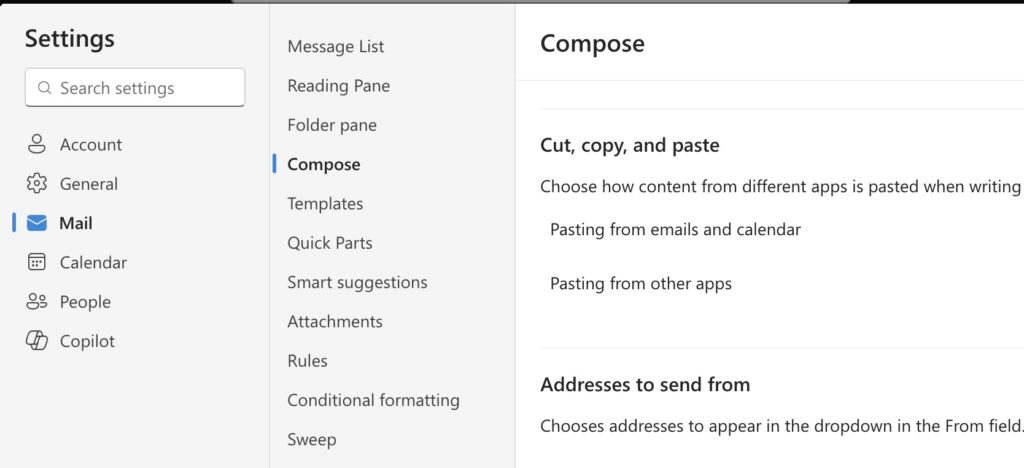
Choosing your send from address
By default, messages are sent from your preferred email address in CUNYfirst. See how to change your preferred email address.
You can select a different send-from alias for each message in Outlook before you send, forward, or reply by clicking the dropdown arrow next to the Send button (in Outlook on the web) or the From button (in the desktop Outlook client) and choosing the address to use for that specific message.
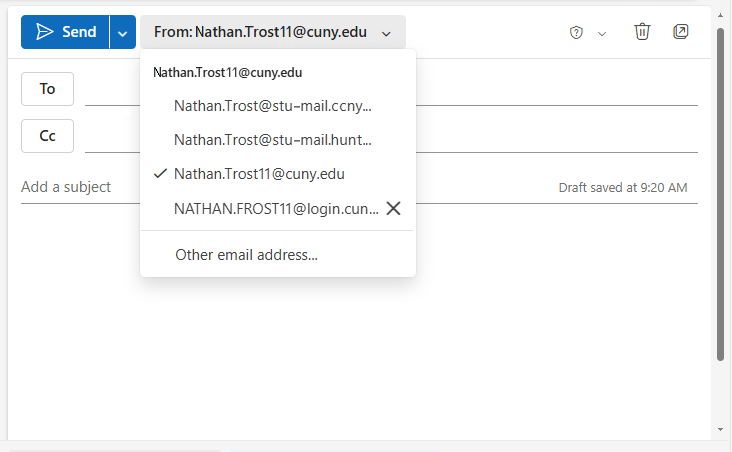
If you don’t see all of your email aliases in the drop-down list when sending an email:
- Open Outlook on the web
- Go to Settings (the cog icon ⚙︎ on the top-right of the page)
- Select Mail > Compose > Addresses to Send From.
- Select your options and save.